IBM Watson AR Experience
Bringing Watson’s customer care capabilities to life through augmented reality
TL;DR
Role: Lead Product Designer for AR concept, UX/UI, and deployment strategy
Team: Me + 1 copywriter + engineers + IBM events team
Timeline: ~2 months
Deliverables: AR experience design, user testing, instructional documentation, branded packaging
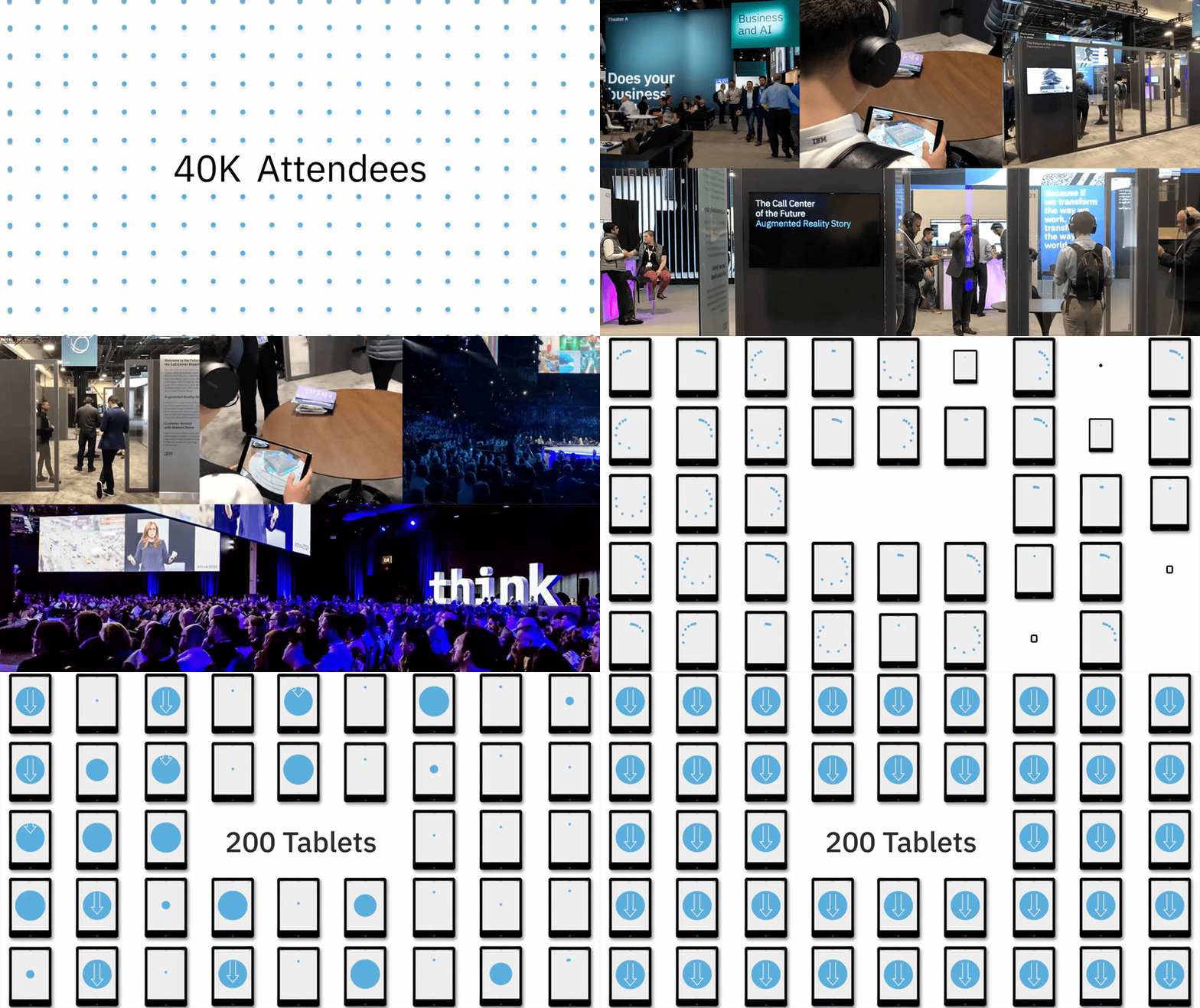
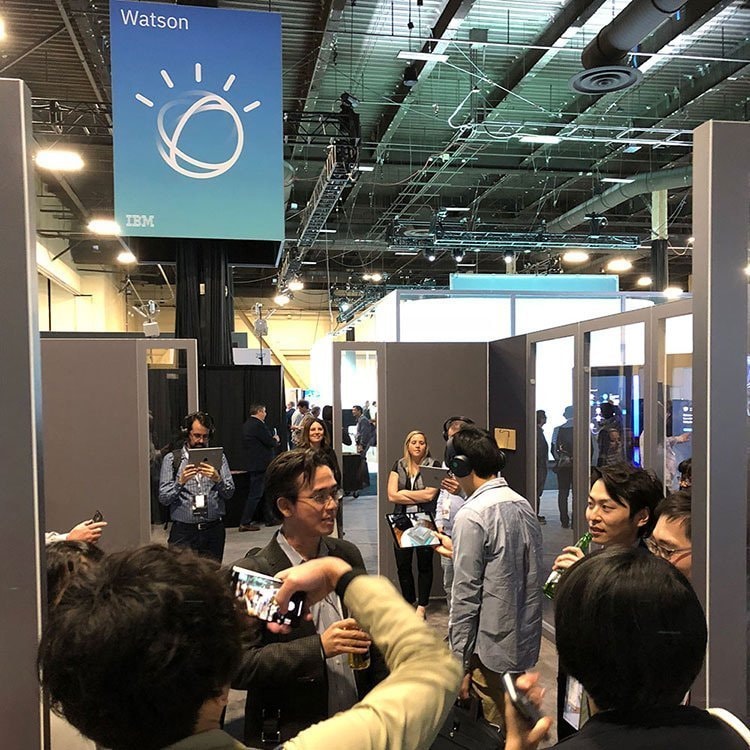
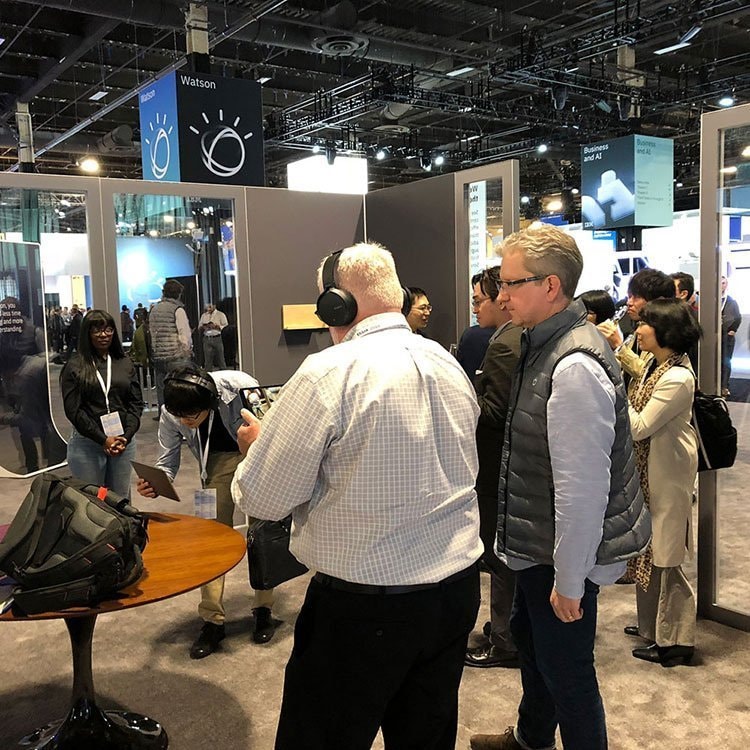
Wins: Presented to 40,000 attendees at IBM THINK; distributed to 200 global sales leads
Impact: Elevated IBM’s AI story through interactive storytelling and enabled personalized sales conversations at scale

Challenge
IBM needed to communicate how Watson improves customer care—cutting costs, boosting agent satisfaction, and surfacing insights—but without live demos or heavy sales decks. We needed an experience that could scale across 200 sales leads and engage thousands of conference attendees in a noisy, distraction-heavy space.
Role
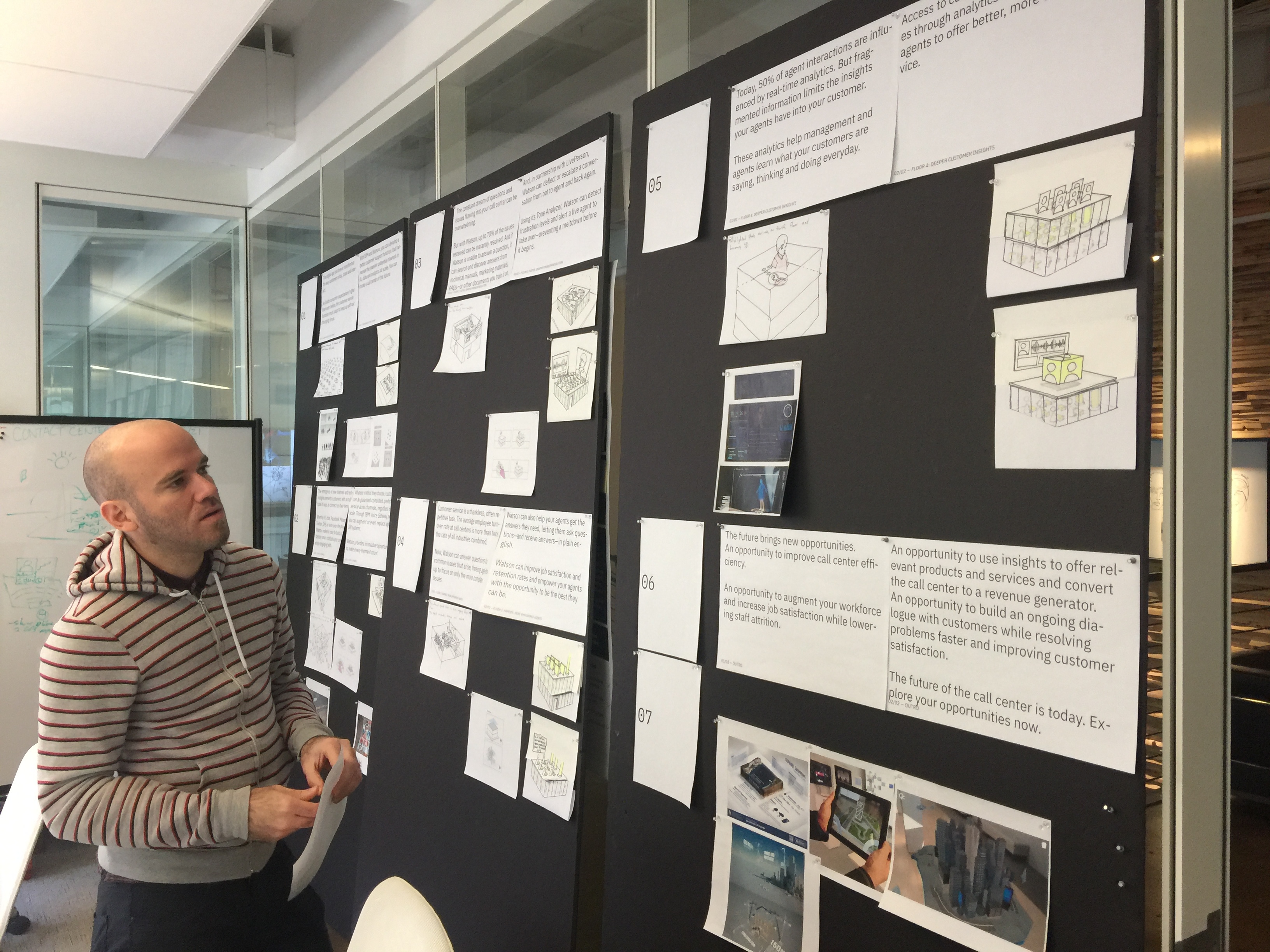
As lead designer, I created the end-to-end UX for an AR experience showcasing Watson’s AI in customer service. I handled concept development, prototyping, user testing, interaction design, and packaging. I also co-created supporting materials to guide usage by global sales leads.
Approach
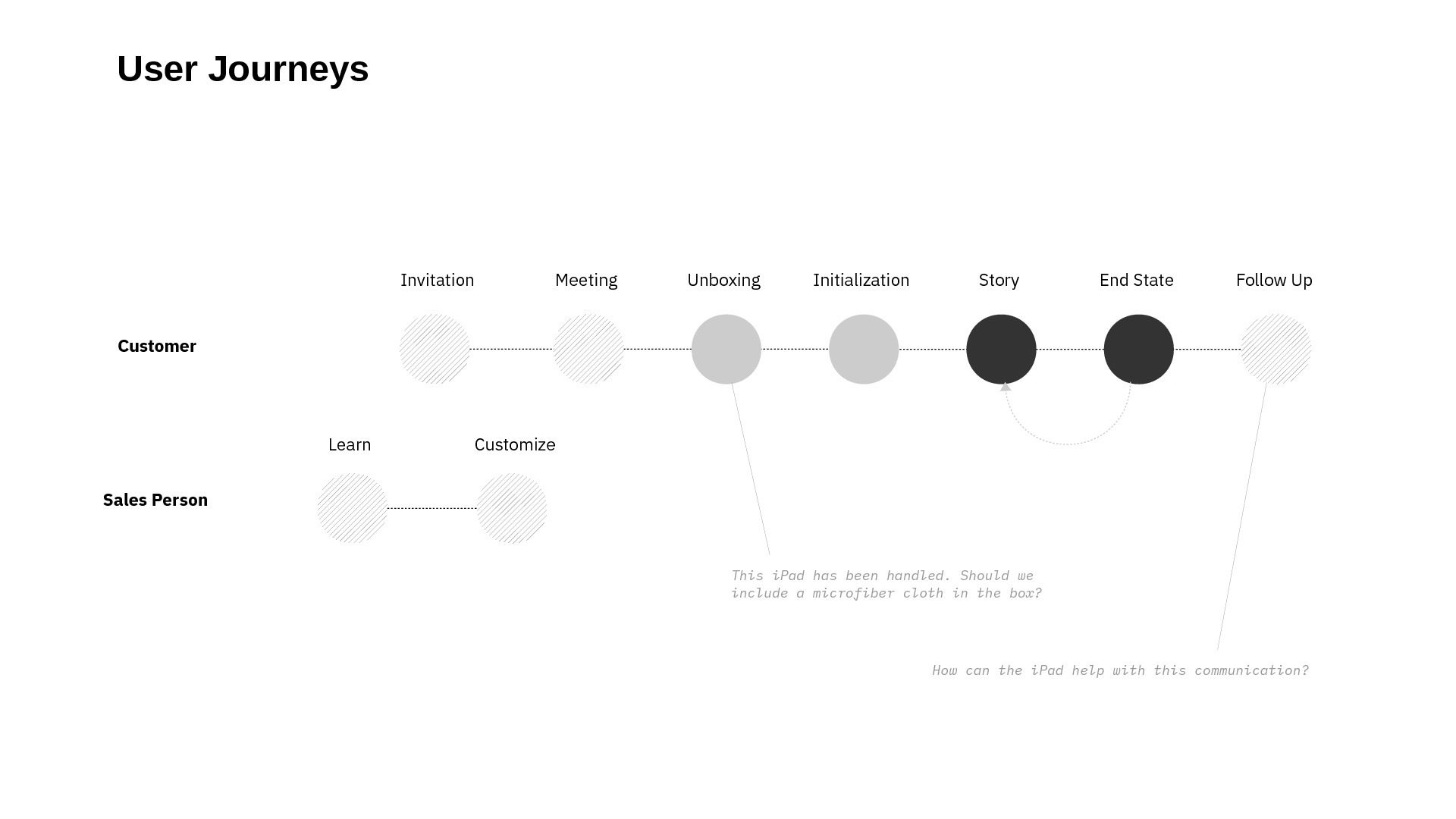
After evaluating holographic and immersive technologies, I proposed an augmented reality (AR) experience. We built the concept around three design pillars:
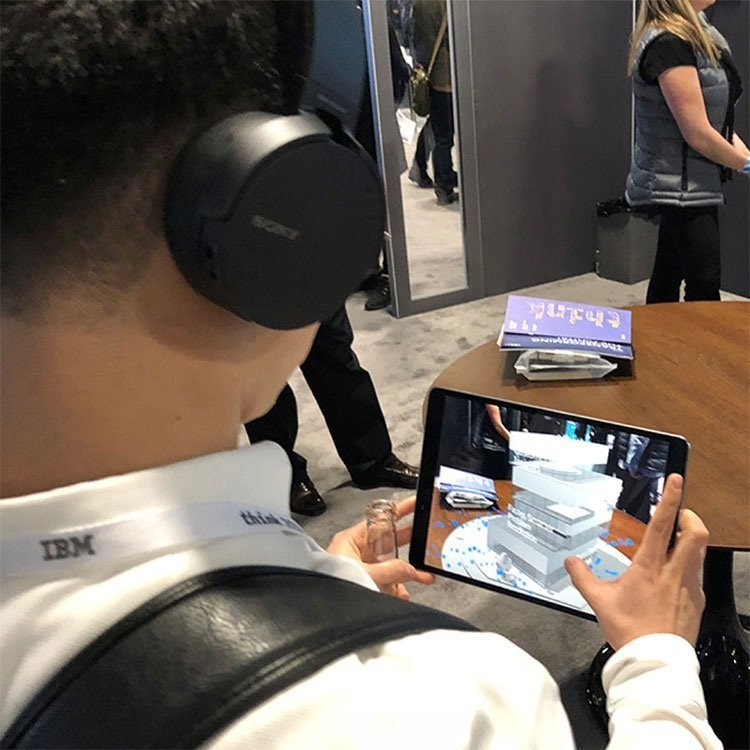
- Contextual Placement: Users place a 3D call center using ground recognition
- Data Storytelling: Visual particles, buildings, and voiceover narration explain how Watson works
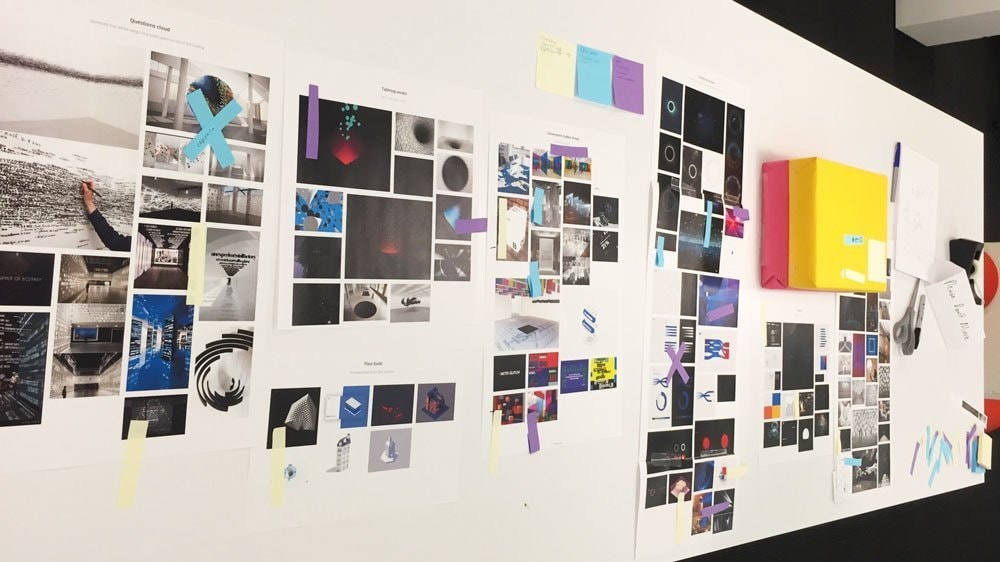
- Brand Touchpoints: From particle animation to packaging design, every interaction reinforces IBM’s identity
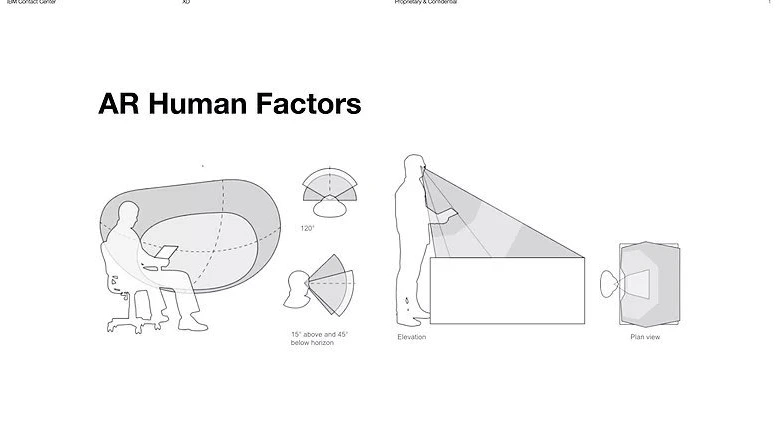
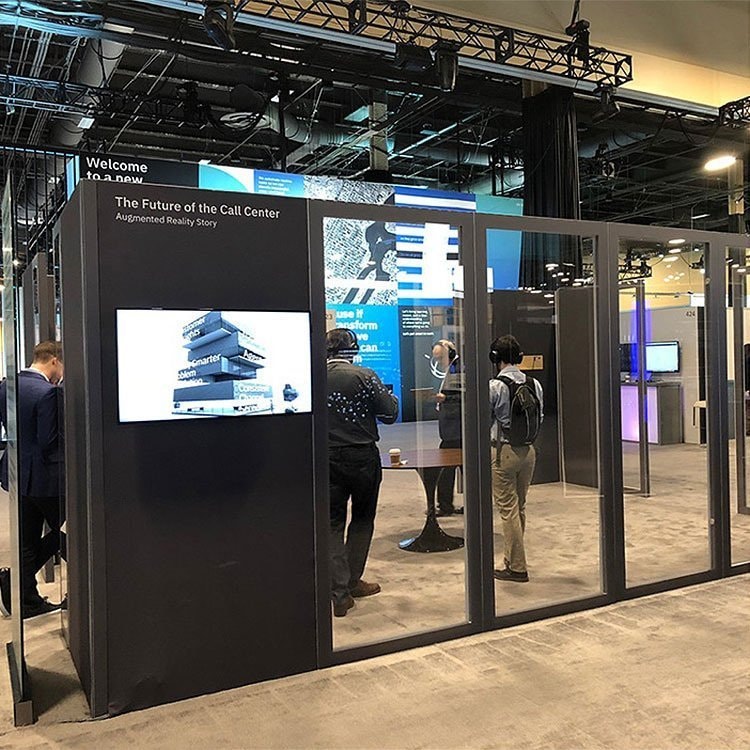
To ensure a smooth experience at scale, I partnered with the IBM events team to optimize table textures for scanning and recommended headphones to reduce noise.
Solution
Key features I designed and directed:
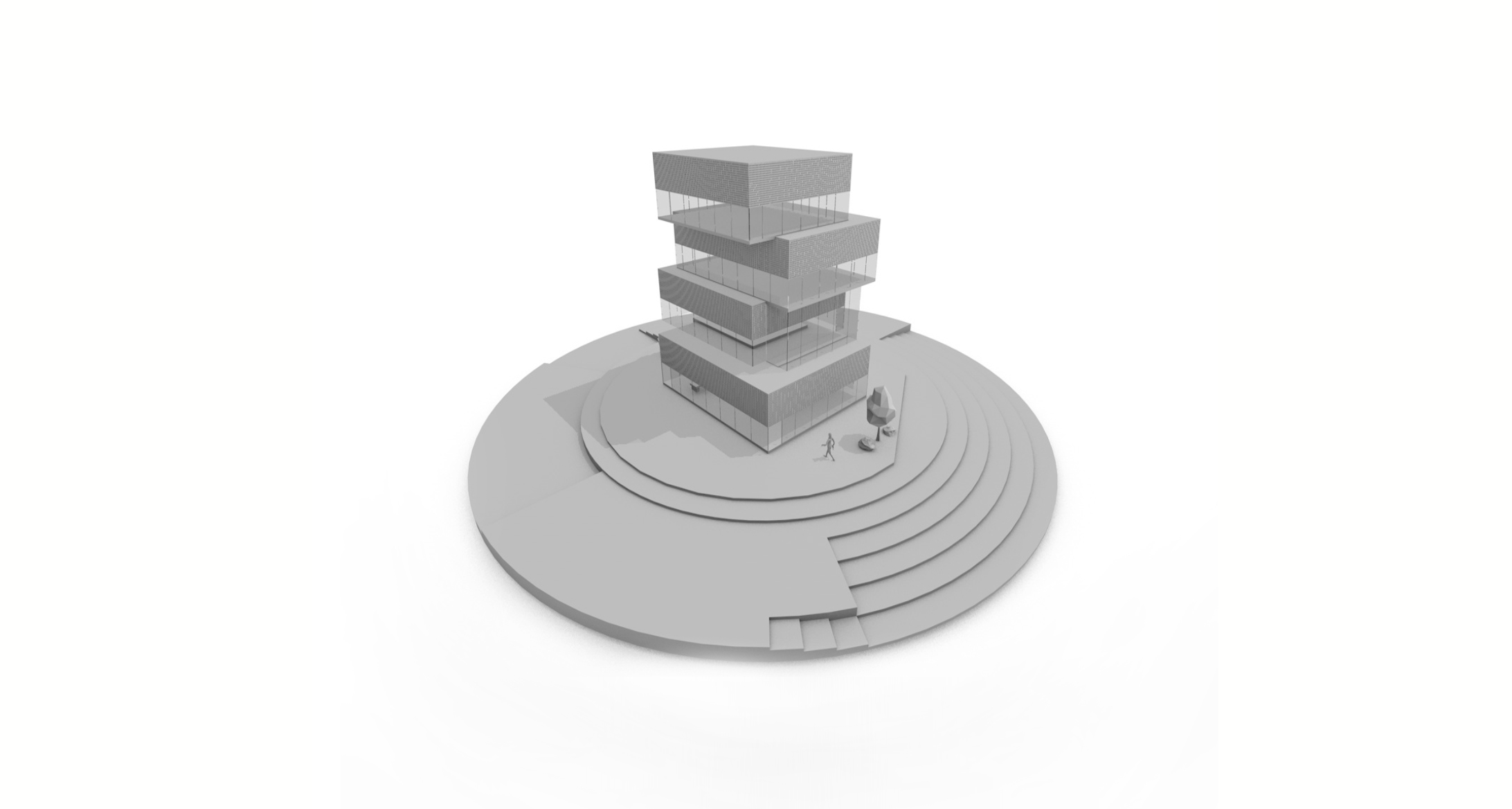
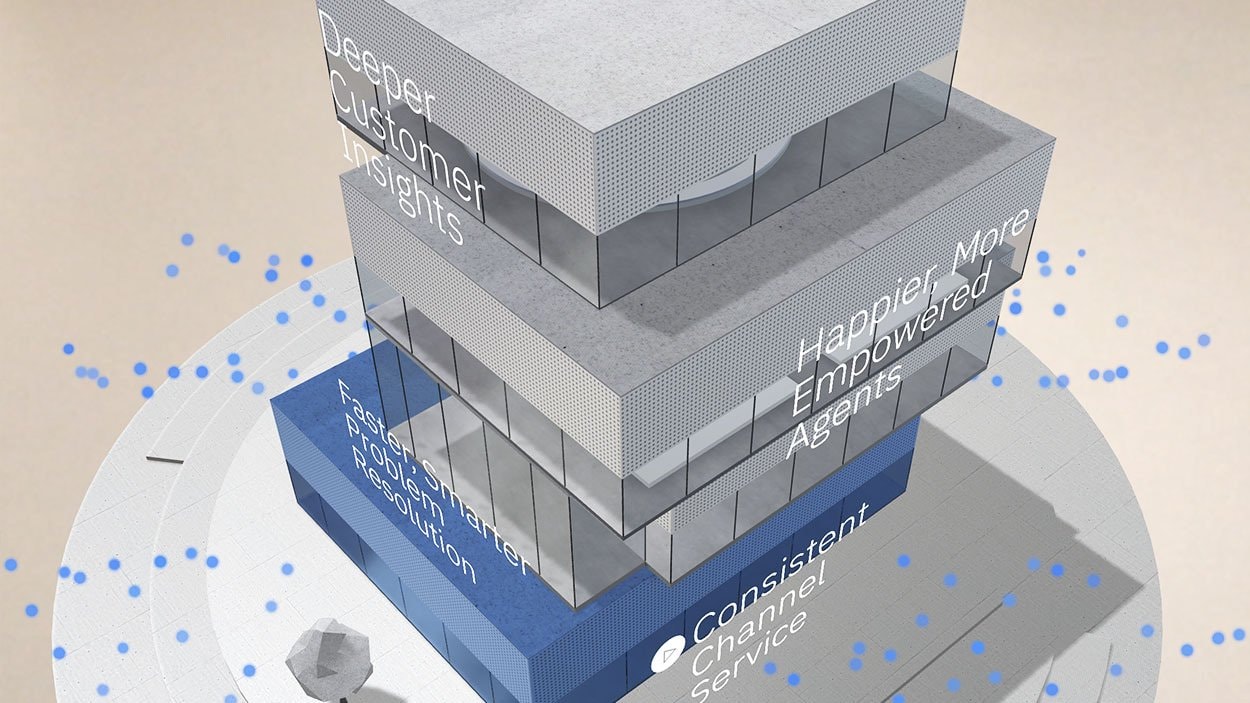
- AR Simulation: Users tap to place a call center on a flat surface; buildings rise and data particles flow around as Watson’s capabilities are narrated
- Interactive Particles: Users could follow and interact with floating data representations—bringing abstract AI processes to life
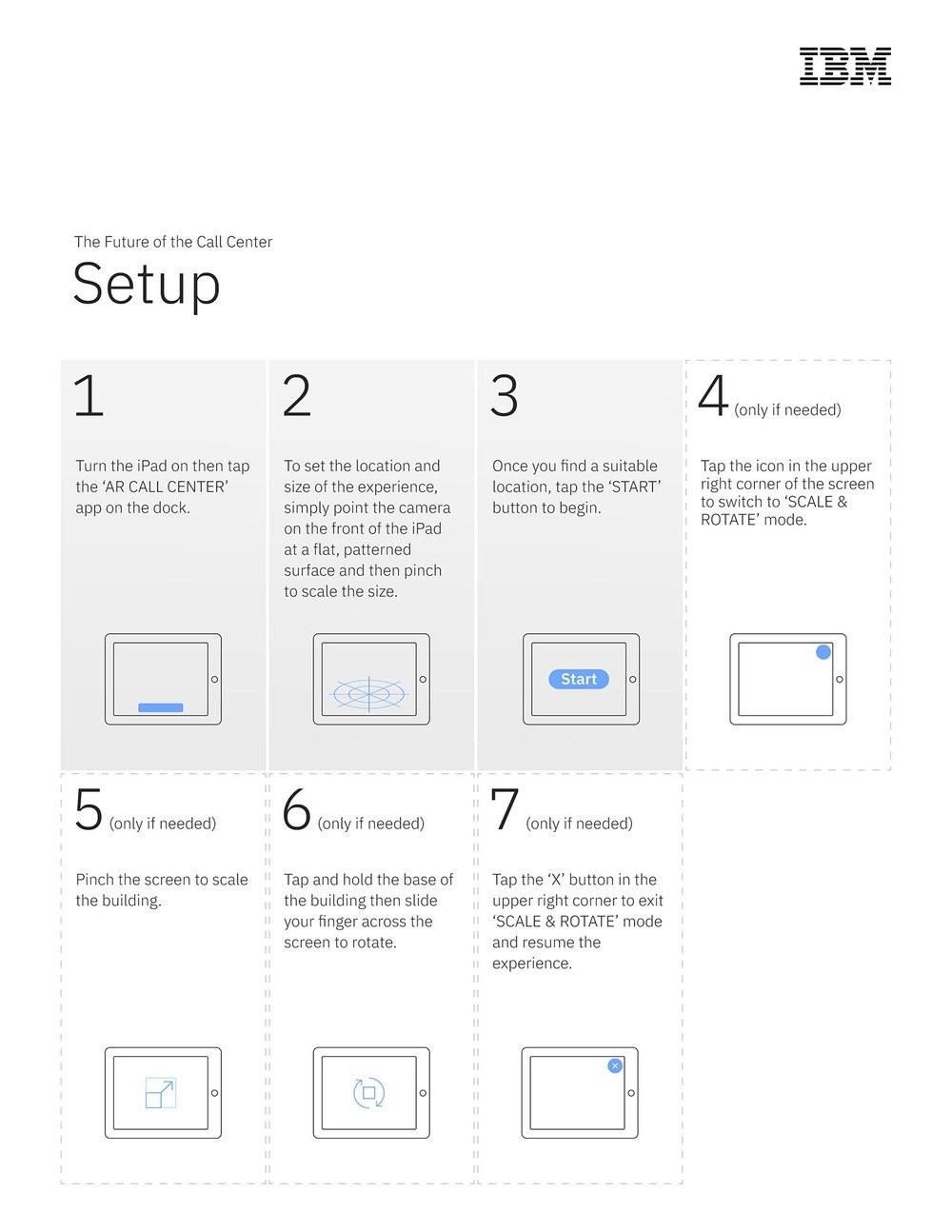
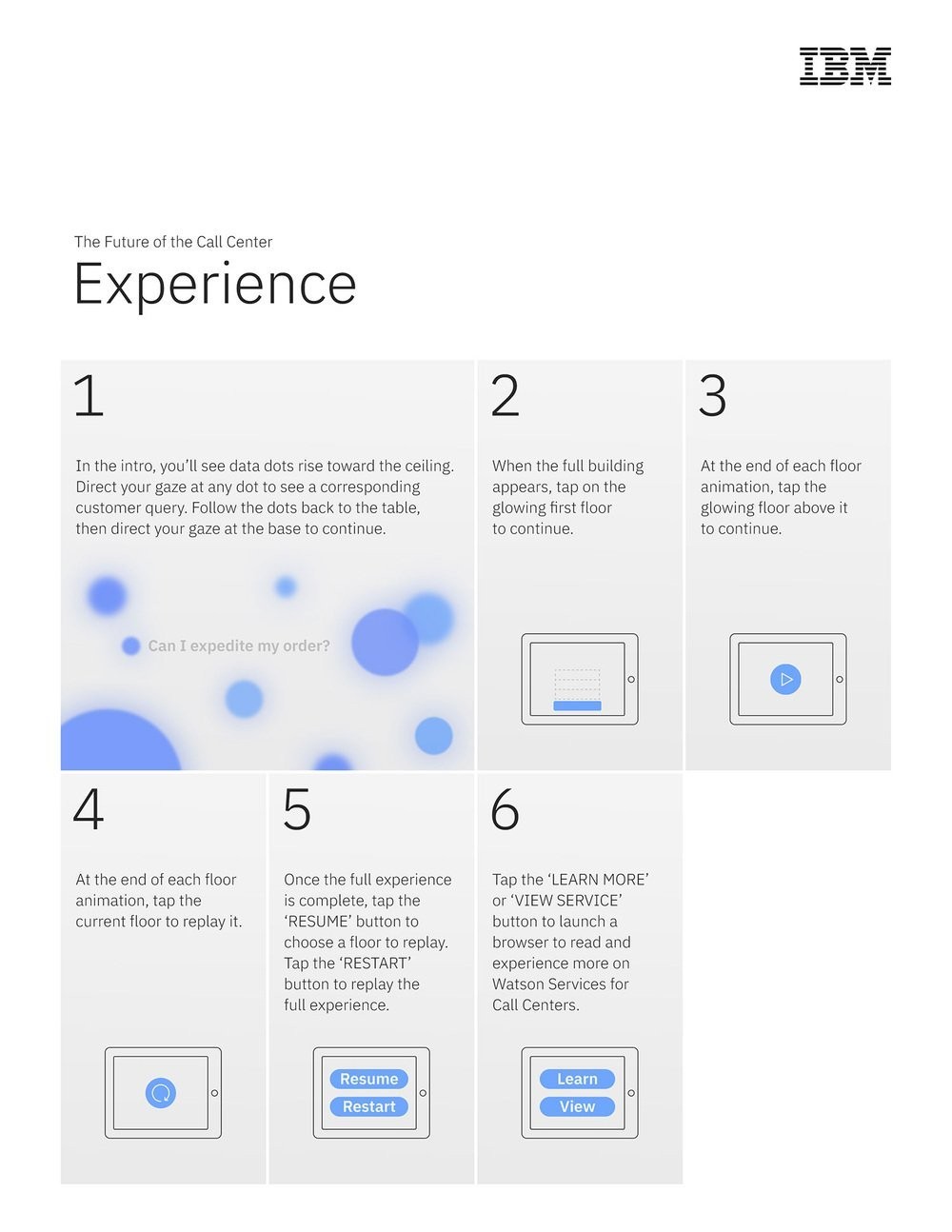
- Instructional Guide: Co-authored a print guide (included with each iPad) to walk users through the experience
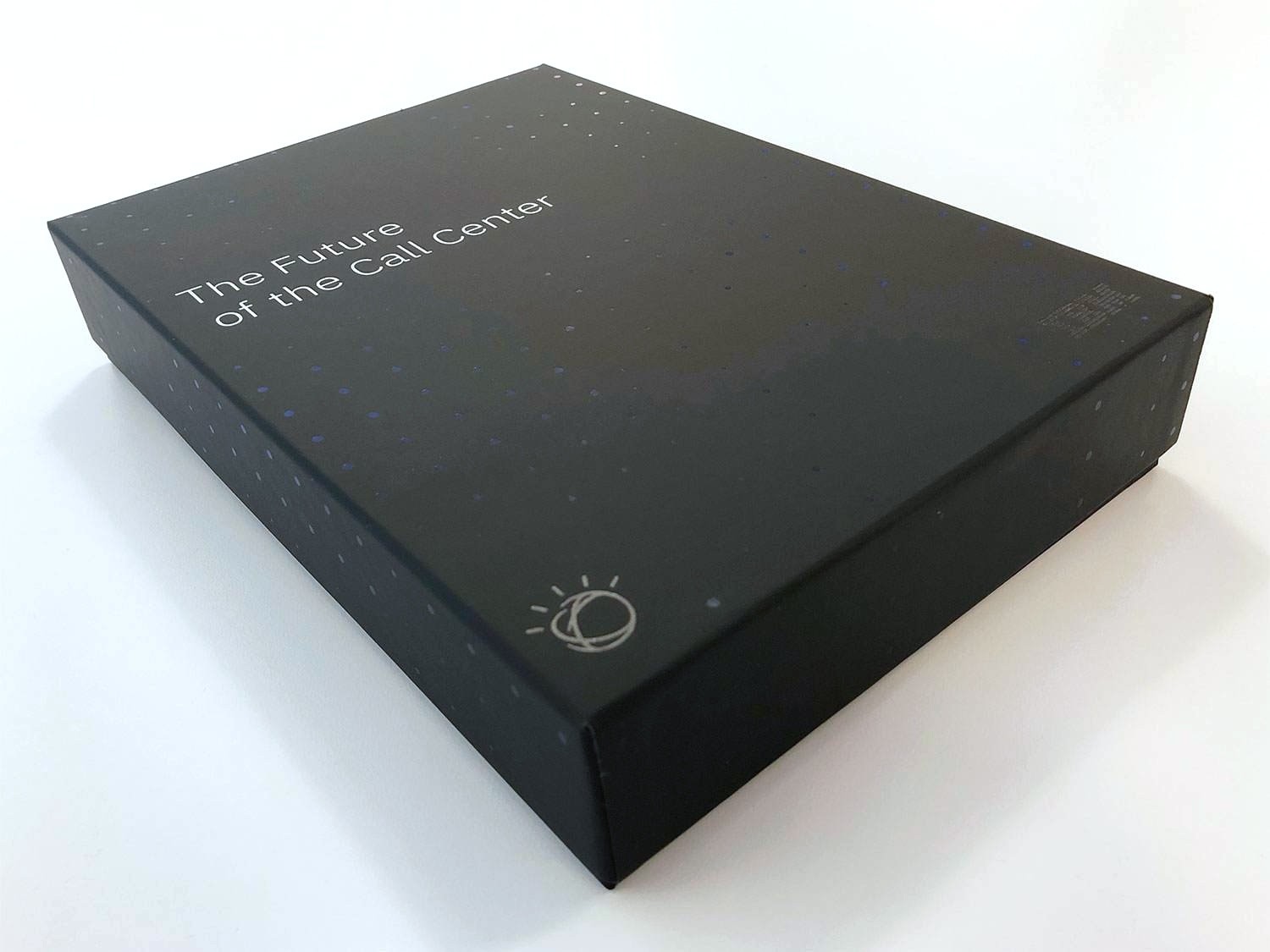
- Custom Packaging: Designed iPad boxes with IBM’s “customer data dot” aesthetic, using matte/foil print finishes for a tornasol effect
The experience was installed on 200 iPads and shipped globally to sales leads, ensuring a consistent, on-brand experience even when demoed remotely.
Intro
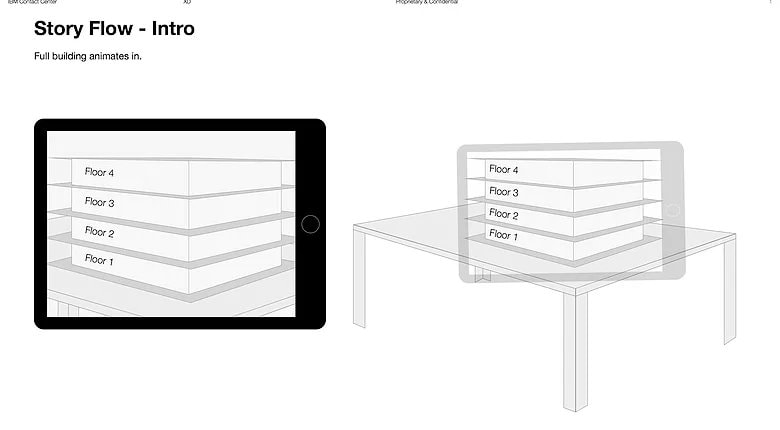
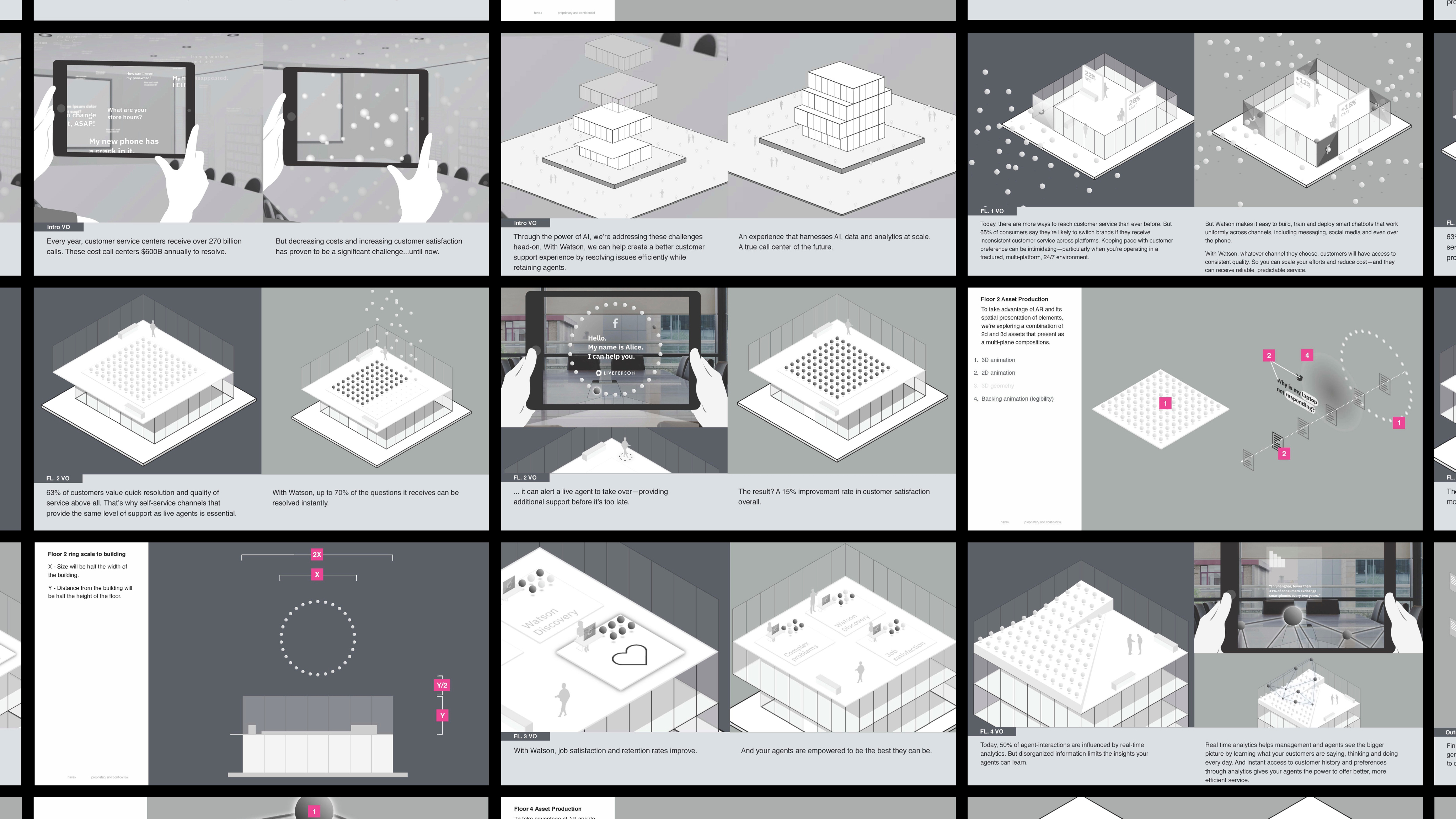
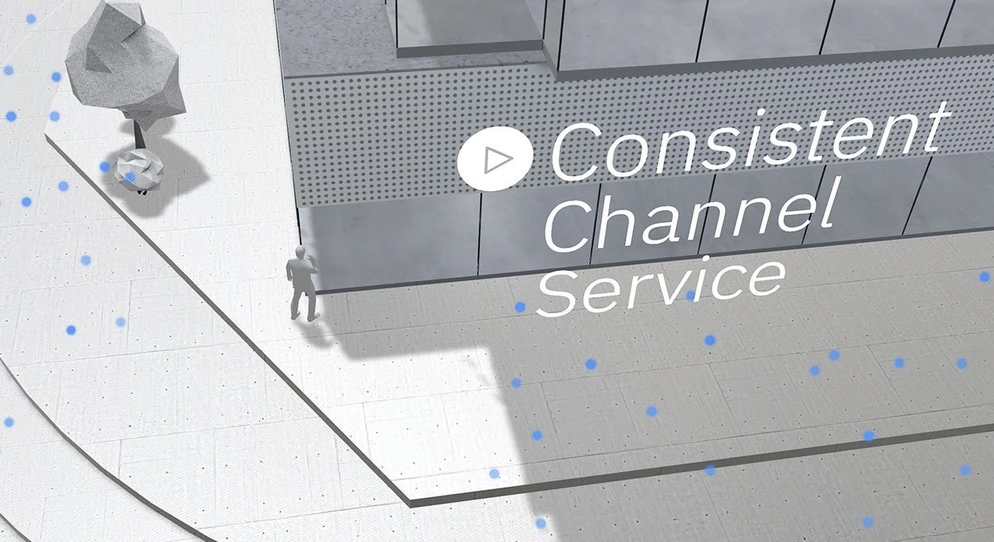
As the intro voiceover ends, IBM-branded particles fall back to ground level, guiding the user’s attention to the base of the building, which then animates upward floor by floor. The bottom floor animates to indicate the user could interact with it.
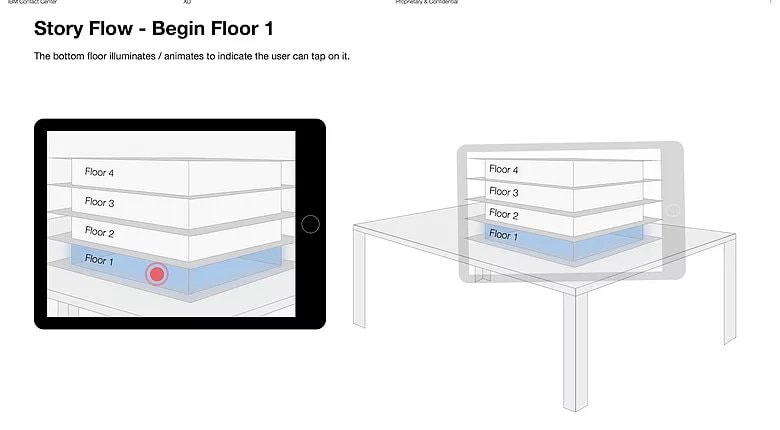
Floor 1
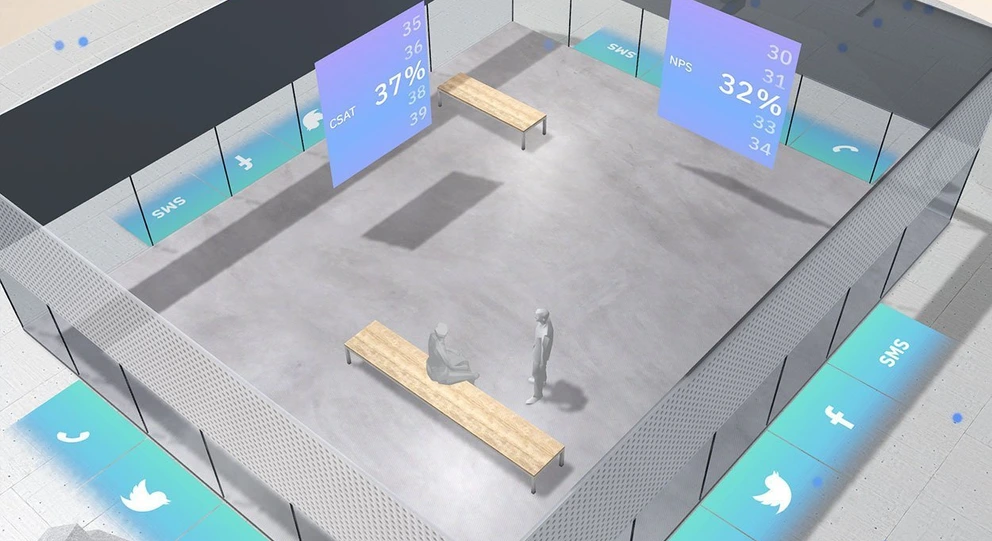
Everything aside from the first floor animates out, and we see the floor 1 animation play out
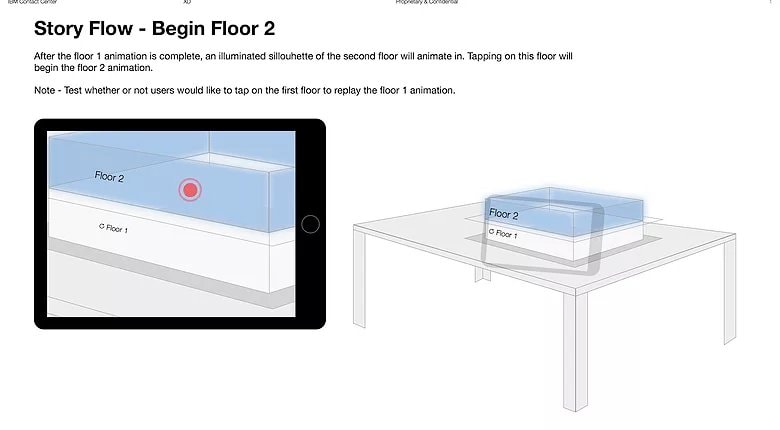
Floor 2
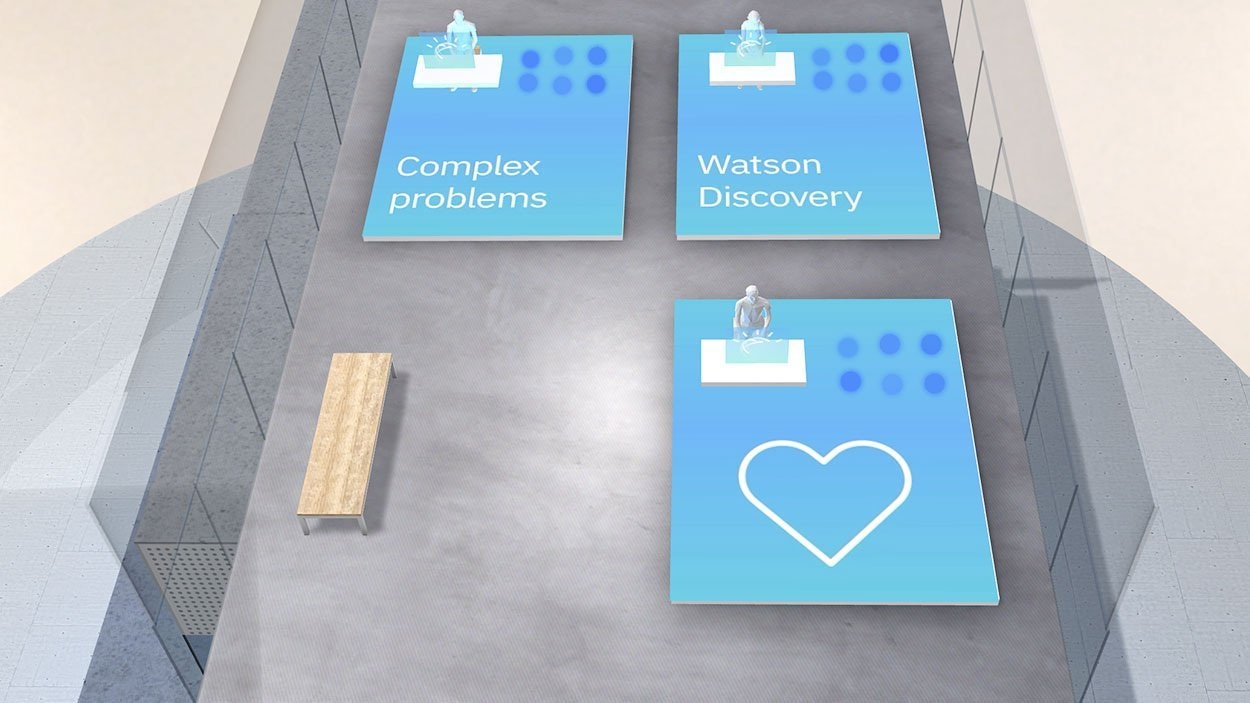
Once the first floor animation finishes, an illuminated silhouette of the second floor appears. Tapping it will begin the next sequence
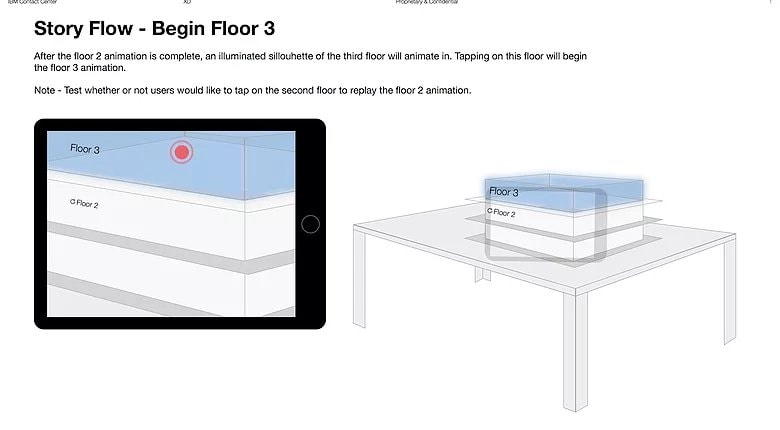
Floor 3
After the floor 2 animation is complete, an illuminated silhouette of the third floor will animate in
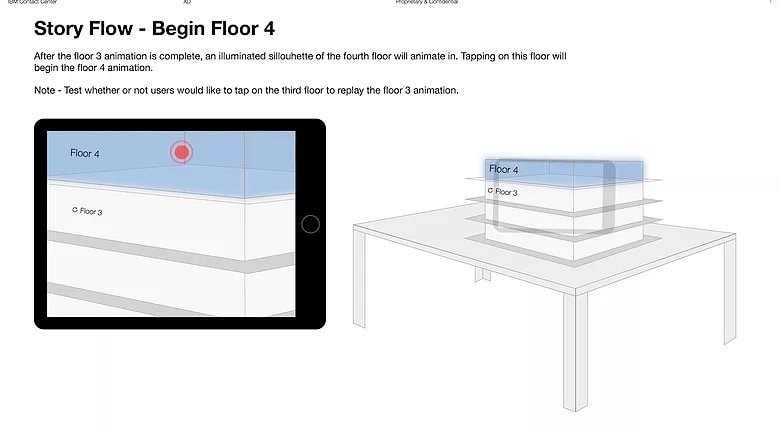
Floor 4
The floor 4 animation plays
Results
- Launched modern, cohesive ecommerce experiences across two Kohler brands
- Delivered a custom design system that scaled across multiple product teams
- Improved mobile UX through better IA, faster interactions, and cleaner visual hierarchy
- Streamlined handoff through annotated files and reusable documentation
Reflection
- This project was a perfect blend of brand, systems, and UX thinking. Building the system alongside the ecommerce flows ensured every design decision was both reusable and rooted in real user behavior. If expanded, I’d layer in motion guidelines and accessibility audits to deepen the system’s maturity.
IBM Watson AR Experience
Bringing Watson’s customer care capabilities to life through augmented reality
TL;DR
Role: Lead Product Designer for AR concept, UX/UI, and deployment strategy
Team: Me + 1 copywriter + engineers + IBM events team
Timeline: ~2 months
Deliverables: AR experience design, user testing, instructional documentation, branded packaging
Wins: Presented to 40,000 attendees at IBM THINK; distributed to 200 global sales leads
Impact: Elevated IBM’s AI story through interactive storytelling and enabled personalized sales conversations at scale
Challenge
IBM needed to communicate how Watson improves customer care—cutting costs, boosting agent satisfaction, and surfacing insights—but without live demos or heavy sales decks. We needed an experience that could scale across 200 sales leads and engage thousands of conference attendees in a noisy, distraction-heavy space.
Role
As lead designer, I created the end-to-end UX for an AR experience showcasing Watson’s AI in customer service. I handled concept development, prototyping, user testing, interaction design, and packaging. I also co-created supporting materials to guide usage by global sales leads.
Approach
After evaluating holographic and immersive technologies, I proposed an augmented reality (AR) experience. We built the concept around three design pillars:
- Contextual Placement: Users place a 3D call center using ground recognition
- Data Storytelling: Visual particles, buildings, and voiceover narration explain how Watson works
- Brand Touchpoints: From particle animation to packaging design, every interaction reinforces IBM’s identity
To ensure a smooth experience at scale, I partnered with the IBM events team to optimize table textures for scanning and recommended headphones to reduce noise.
Solution
Key features I designed and directed:
- AR Simulation: Users tap to place a call center on a flat surface; buildings rise and data particles flow around as Watson’s capabilities are narrated
- Interactive Particles: Users could follow and interact with floating data representations—bringing abstract AI processes to life
- Instructional Guide: Co-authored a print guide (included with each iPad) to walk users through the experience
- Custom Packaging: Designed iPad boxes with IBM’s “customer data dot” aesthetic, using matte/foil print finishes for a tornasol effect
The experience was installed on 200 iPads and shipped globally to sales leads, ensuring a consistent, on-brand experience even when demoed remotely.
Intro
As the intro voiceover ends, IBM-branded particles fall back to ground level, guiding the user’s attention to the base of the building, which then animates upward floor by floor. The bottom floor animates to indicate the user could interact with it.
Floor 1
Everything aside from the first floor animates out, and we see the floor 1 animation play out
Floor 2
Once the first floor animation finishes, an illuminated silhouette of the second floor appears. Tapping it will begin the next sequence
Floor 3
After the floor 2 animation is complete, an illuminated silhouette of the third floor will animate in
Floor 4
The floor 4 animation plays
Results
- Launched modern, cohesive ecommerce experiences across two Kohler brands
- Delivered a custom design system that scaled across multiple product teams
- Improved mobile UX through better IA, faster interactions, and cleaner visual hierarchy
- Streamlined handoff through annotated files and reusable documentation
Reflection
- This project was a perfect blend of brand, systems, and UX thinking. Building the system alongside the ecommerce flows ensured every design decision was both reusable and rooted in real user behavior. If expanded, I’d layer in motion guidelines and accessibility audits to deepen the system’s maturity.